VéloPeak connects to Strava using OAuth 2.0, the same secure standard used by thousands of apps. We never see your Strava password — you authorise access directly on Strava's website.
What we access
When you connect Strava, VéloPeak requests the following permissions:
- Read activities — distance, duration, elevation, power, heart rate, cadence, and GPS data from your rides
- Post comments — to leave a motivational coaching note on your activity (only if you enable this in Settings)
We do not request write access to your activities, segments, or profile.
Connecting during onboarding
When you first sign up, VéloPeak will prompt you to connect your Strava account. Click Connect Strava and you will be redirected to Strava's authorisation page. After approving, you are sent back to VéloPeak automatically.
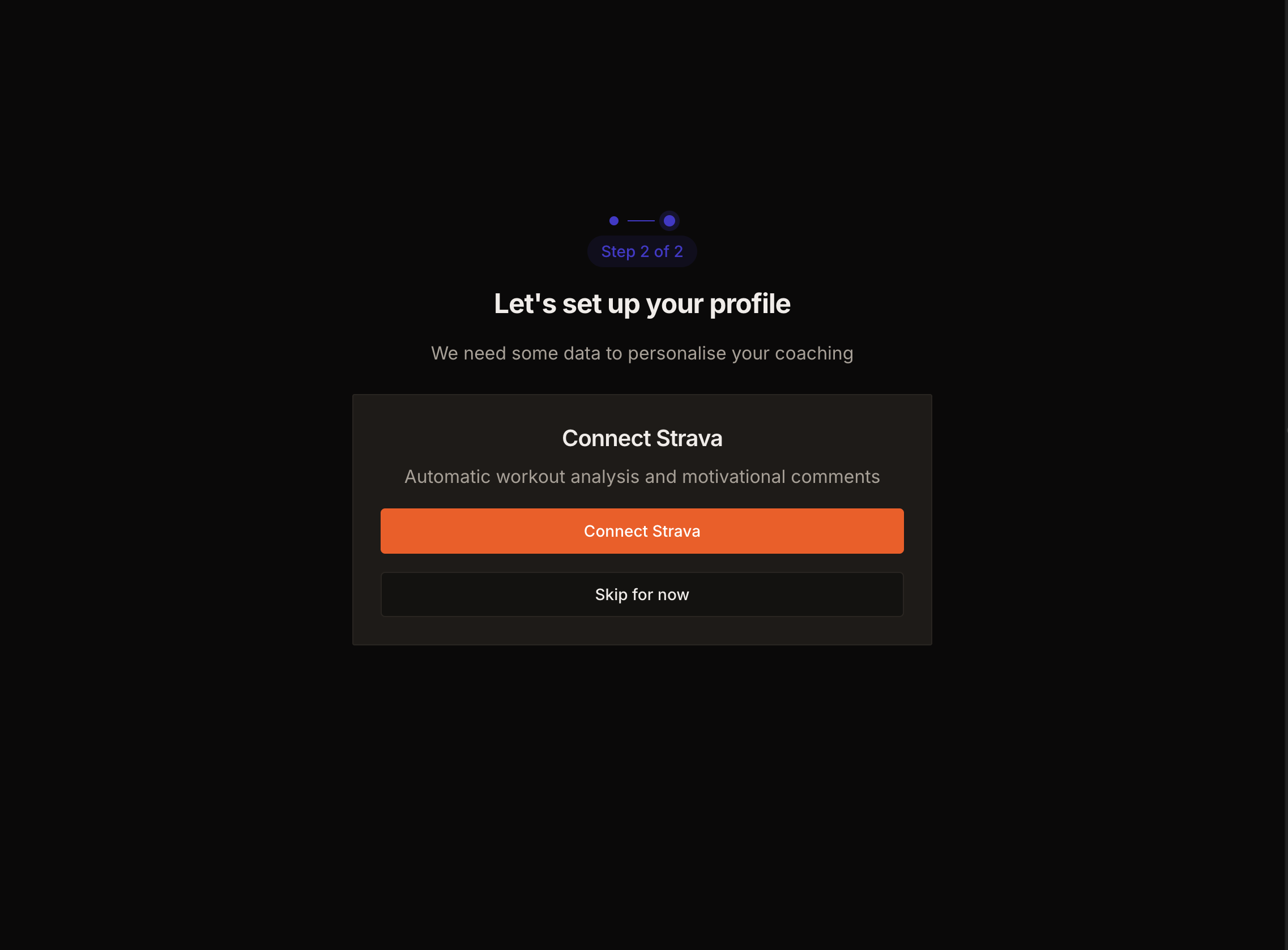
Once connected, VéloPeak immediately fetches your recent activities and begins analysing them.
How automatic sync works
VéloPeak uses Strava Webhooks. Every time you save a ride on Strava (or your device syncs), Strava sends a notification to VéloPeak in real time. We then:
- Fetch the full activity data
- Run the AI analysis
- Send you an email summary (if enabled)
- Post a coaching comment on the activity (if enabled)
There is nothing you need to do — it happens automatically within a few minutes of finishing a ride.
Force sync from Settings
If you need to re-analyse a recent activity or trigger a manual sync, go to Settings → Connections & Apps and click Force sync next to Strava.
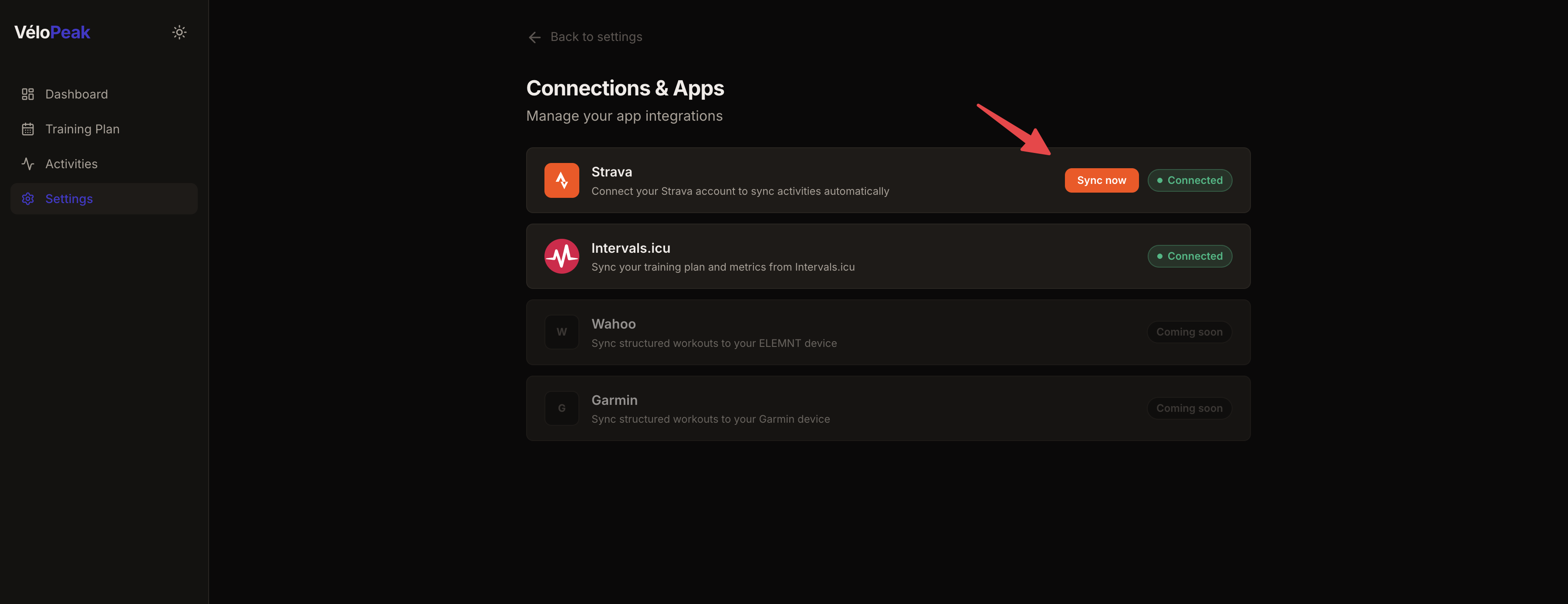
Force sync will re-fetch your last 10 activities and re-run analysis on any that have not yet been processed.
Disconnecting Strava
You can disconnect Strava at any time from Settings → Connections & Apps. This will:
- Remove your Strava access token from our servers
- Stop all future syncs and webhooks
- Not delete your existing activity data or analyses in VéloPeak
To delete your activity data, use the Delete account option in Settings.